There are now thousands of AI tools that promise to save small businesses time and money, and most “best AI tools” lists are written by companies promoting their own software. This guide takes a different approach. It covers the AI tools that are genuinely useful for small businesses and freelancers in 2026, grouped by the job they do, with starting prices checked on each vendor’s official pricing page. It also shows you how to combine them into a complete AI toolkit for three different budgets: free, around $50 per month, and around $150 per month.
Prices are starting prices in US dollars, checked in late September 2026. AI tools change their plans frequently, so confirm current pricing before subscribing. Stackly is not affiliated with any of the tools listed.
The Best AI Tools for Small Business at a Glance
Job to be done
Recommended tool
Free plan
Paid plans from
All-round AI assistant
ChatGPT or Claude
Yes
$20/month
AI inside your office apps
Microsoft 365 Copilot or Google Workspace with Gemini
Limited
Varies by plan
Design and social media visuals
Canva
Yes
$144/year
Meeting notes
Fathom
Yes
$16/month billed annually
Automation and AI agents
Zapier
Yes
$19.99/month
Notes, docs, and team knowledge
Notion
Yes
$10 per member/month
Customer service chat
Tidio
Yes
$24.17/month
CRM and sales
HubSpot
Yes
See our CRM guide
Email marketing
MailerLite
Yes
$12/month
1. All-Round AI Assistants: ChatGPT and Claude
Every small business should have at least one general AI assistant. It is the tool you will use most, for drafting emails and proposals, summarizing documents, analyzing spreadsheets, brainstorming, and researching.
ChatGPT is the most versatile option, with built-in image generation, voice mode, custom GPTs, and an agent called ChatGPT Work for multi-step projects. Claude is especially strong at long documents, natural-sounding writing, and coding, and includes Cowork for multi-step tasks. Both have free plans and paid plans starting at $20 per month, according to the official ChatGPT and Claude pricing pages.
If your business runs on Microsoft 365 or Google Workspace, the AI built into those suites can save time without changing how you work.
Microsoft 365 Copilot works inside Outlook, Word, Excel, PowerPoint, and Teams. The Copilot Business add-on costs $21 per user per month (with an $18 promotional rate through December 2026) and includes pre-built agents such as Researcher and Analyst, while bundles with Microsoft 365 Business Standard start at $23.50 per user per month on annual billing, according to Microsoft’s pricing page. A free Copilot Chat option is available with eligible plans.
Google Workspace with Gemini brings AI into Gmail, Docs, Sheets, Slides, Meet, and Drive. According to Google’s pricing page, Business Starter includes limited Gemini features, while Business Standard and higher plans include expanded access.
Which to choose: Stick with the suite your team already uses. The biggest benefit comes from AI working directly inside your existing emails, documents, and meetings.
3. Design and Visual Content: Canva
Canva remains the easiest way for non-designers to create social media posts, presentations, flyers, and short videos. Its AI features can generate images, remove backgrounds, resize designs for different platforms, and draft copy. The free plan includes a limited number of AI uses, Canva Pro costs $144 per year and includes ten times more AI usage plus brand kits and social scheduling, and Canva Business costs $250 per person per year.
Tip: Set up a Brand Kit with your logo, colors, and fonts so every AI-generated design stays on brand.
4. Meeting Notes: Fathom
AI meeting assistants record, transcribe, and summarize calls so you can focus on the conversation. Fathom stands out for small businesses because its free plan includes unlimited recordings, transcriptions, and AI call summaries. The Premium plan, at $16 per month billed annually, adds advanced summaries and AI action items, and team plans can sync notes to your CRM.
Important: Always tell participants when a call is being recorded, and check the consent rules that apply to you and your clients.
5. Automation and AI Agents: Zapier
Zapier connects thousands of apps so information moves between them automatically, for example adding website form leads to your CRM and sending a welcome email. Its free plan includes 100 tasks per month, and the Professional plan starts at $19.99 per month. Zapier Agents, which can make decisions and take actions across your apps, are priced separately, with a free tier of 400 activities per month and a Pro tier at $33.33 per month billed annually.
Notion is where many small teams keep their procedures, project plans, client notes, and wikis. The Free plan includes trial AI features, Plus costs $10 per member per month, and the Business plan at $20 per member per month unlocks the full Notion AI experience, including Notion Agent, AI meeting notes, and search across connected tools.
7. Customer Service: Tidio
AI customer service tools answer common questions instantly, day or night, and pass complex cases to your team. Tidio combines live chat with Lyro, an AI agent that answers questions from your own content. It has a free plan with a limited number of conversations, paid plans from $24.17 per month billed annually, and the Lyro AI agent from $32.50 per month. Our guide to AI chatbots for customer service explains how to set one up safely.
8. CRM, Email Marketing, and Accounting
Some of the most valuable AI features are built into the core business software you already need:
CRM: HubSpot’s free CRM includes some AI features, and its paid plans add more, such as help drafting emails and summarizing records. Our small business CRM guide compares HubSpot with Pipedrive, Zoho, and others.
Email marketing: MailerLite includes an AI writing assistant on its paid plans, which start at $12 per month. See our guide to the best email marketing software.
Accounting: Modern accounting platforms use AI to categorize transactions, match receipts, and flag unusual spending. Our accounting software guide covers the leading options.
Before buying a separate AI tool, check what your existing software already includes. You may be paying for AI features you have not switched on.
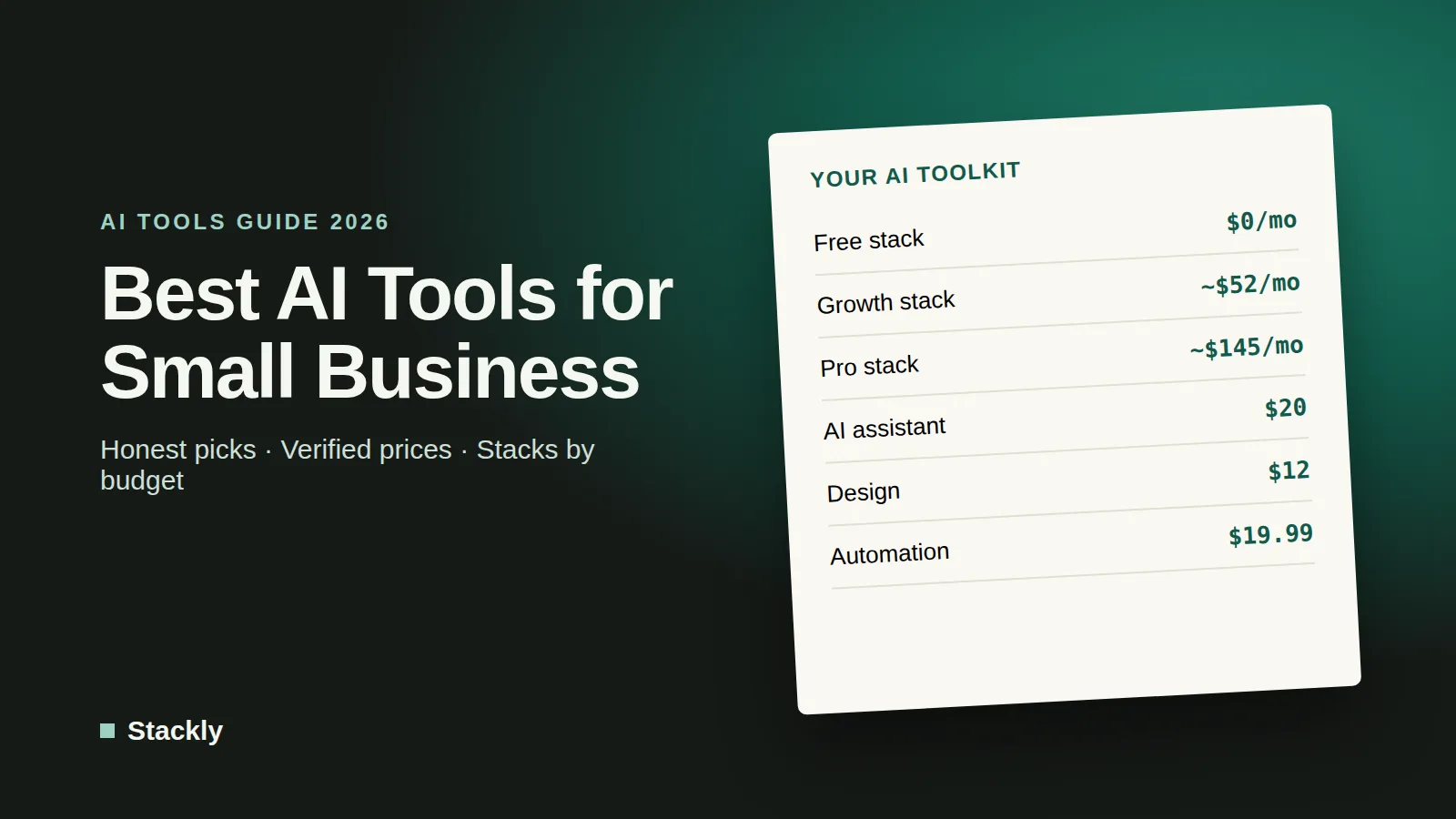
Your AI Toolkit by Budget
These example stacks show how the tools above fit together. Prices are approximate monthly costs for one person, using annual billing where it is cheaper.
Free Stack ($0 per month)
ChatGPT Free or Claude Free as your AI assistant
Canva Free for visuals
Fathom Free for meeting notes
Zapier Free for simple automations (100 tasks per month)
HubSpot’s free CRM and MailerLite’s free plan for customers and email
This stack is ideal for freelancers and new businesses. Its main limits are usage caps and fewer advanced features.
Growth Stack (about $50 per month)
ChatGPT Plus or Claude Pro: $20
Canva Pro: about $12 ($144 per year)
Zapier Professional: $19.99
Total: about $52 per month. This is the sweet spot for most small businesses: a powerful assistant, professional design tools, and multi-step automations.
Pro Stack (about $150 per month)
Everything in the Growth Stack: about $52
Notion Business with Notion Agent: $20
Tidio Starter for website chat: $24.17
Fathom Premium: $16
Zapier Agents Pro: $33.33
Total: about $145 per month. Suited to growing businesses with regular client meetings, website inquiries, and processes worth automating with agents.
How to Choose the Right AI Tools
Start with your biggest time drain. List the tasks that take the most time each week and choose tools that address those first, rather than signing up for everything at once.
Use what you already pay for. Microsoft 365, Google Workspace, Canva, Notion, and many CRMs now include AI features.
Test before committing. Nearly every tool on this list has a free plan or trial. Use it on real work for a week before paying.
Check privacy and data use. Read how each vendor handles your data, and prefer business plans when you share client information. Protect every connected account with multi-factor authentication, as covered in our website security checklist.
Review AI output. AI tools can make mistakes. Check facts, figures, and anything sent to customers, especially in legal or financial matters.
For a look at the bigger trends shaping these tools, read our overview of the state of AI in 2026, and for writing-specific tools, see our comparison of the best AI writing tools.
Frequently Asked Questions
What is the best AI tool for a small business?
For most small businesses, the single most useful AI tool is a general assistant such as ChatGPT or Claude, which can help with writing, research, analysis, and planning. After that, the best additions depend on your biggest time drains, such as meetings, design, customer service, or repetitive admin.
What are the best free AI tools for small businesses?
Strong free options include ChatGPT Free or Claude Free, Canva Free, Fathom’s free meeting recorder, Zapier’s free automation plan, HubSpot’s free CRM, and MailerLite’s free email plan.
How much should a small business spend on AI tools?
Many small businesses get strong results for about $50 per month, covering a paid AI assistant, a design tool, and an automation platform. Growing businesses with more complex needs typically spend $100 to $200 per month.
Do I need technical skills to use AI tools?
No. The tools in this guide are designed for non-technical users and work through plain-language instructions, templates, and visual builders. More advanced automations and agents take some setup time but do not require coding.
Is my business data safe with AI tools?
It depends on the tool and plan. Business plans from major providers typically offer stronger privacy protections, such as not training AI models on your data by default. Always review privacy terms, limit the data you share, and secure your accounts.
The Bottom Line
You do not need dozens of AI tools to benefit from AI. A good general assistant, the AI already built into your office and business software, and one automation platform will cover most small businesses’ needs. Start with the free stack, upgrade the tools you use every day, and add agents and specialist tools only when a clear, time-consuming task justifies them.

Leave a Reply