ChatGPT is the AI assistant most people try first, and in 2026 it is far more than a chatbot. It can reason through complex problems, search the web, analyze spreadsheets, create images, write and run code, and carry out multi-step tasks. The catch is that OpenAI now offers several models and plans, and their names change often, so it is easy to use the wrong one or pay for more than you need. This guide explains the current ChatGPT models, which one is best for each type of work, what each plan includes, and practical ways to get the most out of it for your business.
Model names and plan details in this guide reflect OpenAI’s lineup as of October 2026 (updated October 8 with GPT-6.1 Sol and ChatGPT dots). OpenAI updates ChatGPT frequently, so check the model picker and pricing page for the latest details.
The Current ChatGPT Models Explained
OpenAI has moved away from asking users to choose between dozens of models. Instead, ChatGPT groups its models into families, and in many cases chooses the right one automatically based on your question and the “effort” level you select. The two families that matter most today are GPT-5.6 and the new GPT-6.
GPT-5.6 Family: Sol, Terra, and Luna
Released in July 2026, GPT-5.6 comes in three tiers:
GPT-5.6 Luna is the fastest and most affordable model. It powers everyday chat for Free and Go users and handles quick questions, short writing tasks, summaries, and brainstorming well.
GPT-5.6 Terra is the balanced option, offering stronger reasoning at a lower cost than the flagship. It is used for many coding and work tasks behind the scenes.
GPT-5.6 Sol is the flagship of the family. OpenAI describes it as its strongest model at launch for coding, research, and knowledge work such as producing polished documents, presentations, and spreadsheets. Paid users reach it through the medium and higher effort settings, and Pro and Enterprise users can also choose Sol Pro for the most demanding tasks.
GPT-6 Astra: The New Frontier Model
On September 22, 2026, OpenAI launched GPT-6 Astra, which it calls its most intelligent model to date. OpenAI reports large gains in computer use (operating software on your behalf), coding, advanced mathematics and science, and following document templates and formatting instructions. Astra is available on paid plans, with the fullest access on Pro, Business, and Enterprise, and it is also offered through OpenAI’s API and major cloud platforms. OpenAI has also announced further GPT-6 variants, so expect the lineup to keep expanding.
GPT-6 Sol and GPT-6.1 Sol: Near-Flagship Power for Less
Alongside Astra, OpenAI introduced GPT-6 Sol and GPT-6 Luna, and on September 29, 2026, at its DevDay event, it released GPT-6.1 Sol. OpenAI says GPT-6.1 Sol delivers nearly the same intelligence as GPT-6 Astra for coding, computer use, and professional work at about a fifth of the API price. At launch it is available in ChatGPT Work and Codex for Plus, Pro, Business, Enterprise, and Edu users, but not yet in the regular chat window.
Thinking vs Instant Responses
Regardless of the model name, ChatGPT can answer in two broad ways. Instant responses are quick and conversational. Thinking (reasoning) responses take longer because the model works through the problem step by step before answering, which produces much better results for math, analysis, planning, and code. As a rule of thumb, use quick responses for simple requests and switch to a higher effort or thinking setting whenever accuracy matters more than speed.
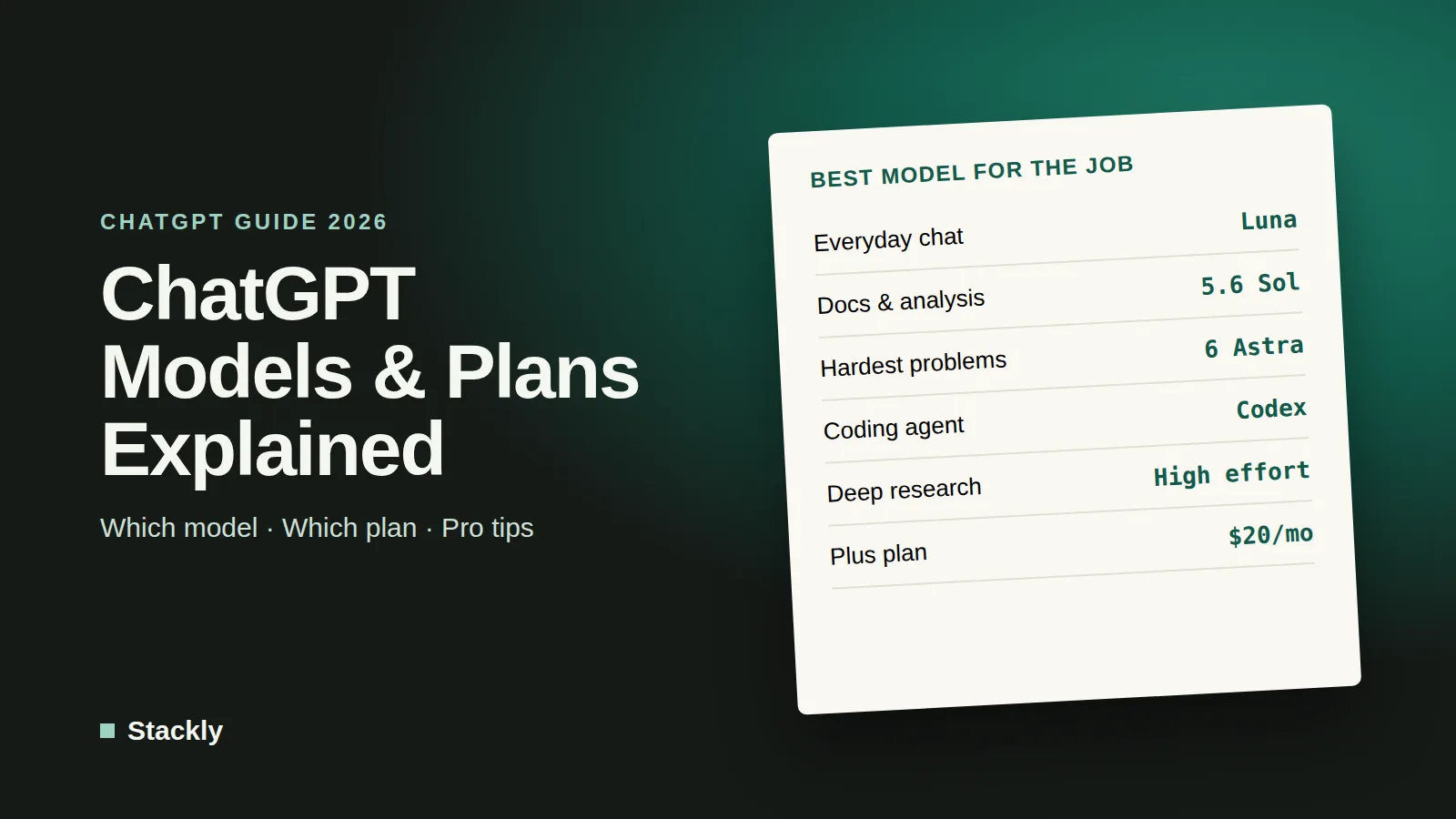
Which ChatGPT Model Is Best for Each Task?
Task
Recommended option
Why
Quick questions, emails, brainstorming
Default chat (GPT-5.6 Luna or Sol at low effort)
Fast and more than capable for everyday writing
Long documents, reports, proposals
GPT-5.6 Sol at medium or high effort
Better structure, consistency, and formatting
Data analysis and spreadsheets
GPT-5.6 Sol with thinking
Reasons through calculations and can run code to check results
Coding and technical work
GPT-6.1 Sol in Codex, or GPT-6 Astra for the hardest tasks
Strongest coding performance and agent tools
Complex research and strategy
Deep research with a high-effort model
Searches many sources and writes a cited report
Hardest problems (science, advanced math, large projects)
GPT-6 Astra or Sol Pro
Maximum reasoning, at the cost of speed and usage limits
Images and visuals
Built-in image generation
Creates and edits images from text descriptions
The simplest approach for most people is to leave ChatGPT on its default setting and only raise the effort level, or switch models, when an answer is not good enough.
ChatGPT Plans and Pricing in 2026
OpenAI currently offers the following plans in the United States. Prices vary by country and change periodically, so always confirm on the official pricing page.
Free ($0): Unlimited everyday text chats with GPT-5.6 Luna, plus limited file uploads, image generation, voice, and deep research. Good for trying ChatGPT and for light use.
Go (about $8 per month): More messages and tool usage, expanded uploads, more image creation and voice, and longer memory. A budget option for regular users who do not need advanced reasoning.
Plus ($20 per month): Advanced reasoning models, deep research, Projects, custom GPTs, more complex image creation, and expanded use of Codex, OpenAI’s coding agent. The best value for most freelancers and small business owners.
Pro (from $100 per month, with higher tiers including the new Pro 500): Much higher usage limits, the most capable models, maximum deep research, and the most Codex capacity. Aimed at heavy users such as developers, researchers, and analysts.
Business (from about $20 to $25 per user per month, minimum two users): A shared workspace with admin controls, single sign-on, and business data protections. By default, OpenAI does not train its models on Business or Enterprise workspace data.
Enterprise (custom pricing): Advanced security, compliance, and support for larger organizations.
Which plan should you choose? If you use ChatGPT a few times a week, Free or Go is enough. If it is part of your daily work, Plus usually pays for itself quickly. Choose Business as soon as a team shares client or company data, because of the stronger privacy defaults and admin controls.
Key ChatGPT Features Worth Using
Web search. ChatGPT can search the web and cite its sources, which is essential for anything involving current prices, news, or regulations.
Deep research. This feature spends several minutes browsing many sources and produces a structured, cited report. It is ideal for market research, competitor analysis, and preparing for important decisions.
Projects. Projects group chats, files, and instructions around one topic, such as a client, a product launch, or your business plan, so ChatGPT keeps the right context every time.
Custom GPTs. You can build a custom version of ChatGPT with your own instructions and reference files, for example a GPT that writes product descriptions in your brand voice or answers staff questions using your policies.
Memory. ChatGPT can remember preferences and details across conversations. You can view, edit, or turn off memory in settings, which is worth checking if you discuss sensitive topics.
Files and data analysis. Upload PDFs, spreadsheets, and documents to summarize, compare, or analyze them. For spreadsheets, ChatGPT can write and run code to calculate results and create charts.
Voice and images. Voice mode is useful for brainstorming on the go, and image generation can produce social media visuals, mockups, and simple illustrations.
ChatGPT Work. OpenAI’s agent for multi-step projects can research, analyze, and produce documents, spreadsheets, presentations, and reports, and can run scheduled tasks through connected apps. It is included from the Plus plan upward.
Dots. Launched in September 2026, dots are always-on agents that keep working on your goals between conversations on their own cloud computer. Your first dot is included with Pro and Business Premium plans. You will find setup steps, pricing, and safety settings in the ChatGPT Dots section below.
Codex. OpenAI’s coding agent can write, test, and fix code on its own, which is useful for developers and for small businesses maintaining websites or internal tools.
How to Get the Most Out of ChatGPT
Write Better Prompts
The quality of ChatGPT’s answers depends heavily on the quality of your instructions. OpenAI’s own prompting guidance comes down to a few habits:
Give context. Explain who you are, who the output is for, and why you need it. “Write a follow-up email” is weak; “Write a friendly follow-up email to a restaurant owner who asked about our website design packages last week” is much better.
Be specific about the format. Ask for a table, bullet points, a word count, or a particular tone.
Provide examples. Paste an example of writing you like, or a past document to use as a template.
Break big tasks into steps. Ask for an outline first, then expand each section.
Iterate. Treat the first answer as a draft. Ask ChatGPT to shorten, simplify, change the tone, or fix specific parts.
Use the Right Tool for the Job
Turn on thinking or a higher effort level for analysis and planning, use deep research for questions that need many sources, and use Projects for ongoing work so you do not have to repeat background information. For recurring tasks, a custom GPT can save a surprising amount of time.
Set Custom Instructions
In settings, you can tell ChatGPT about your business, your audience, and your preferred style. These instructions apply to every new chat, so you get more relevant answers without repeating yourself.
Always Verify Important Information
ChatGPT can still make mistakes, including confident but incorrect facts. Ask it to cite sources, check key numbers yourself, and never rely on it alone for legal, tax, or medical decisions.
Protect Your Data
Avoid pasting passwords, full customer records, or confidential contracts into personal accounts. Review the data controls in settings, and consider the Business plan if your team handles client information. Our website security checklist covers the basics of protecting business accounts.
Practical Ways Small Businesses Use ChatGPT
Marketing: Drafting blog posts, newsletters, social media posts, and ad variations. See our guide to the best AI writing tools for how ChatGPT compares with alternatives.
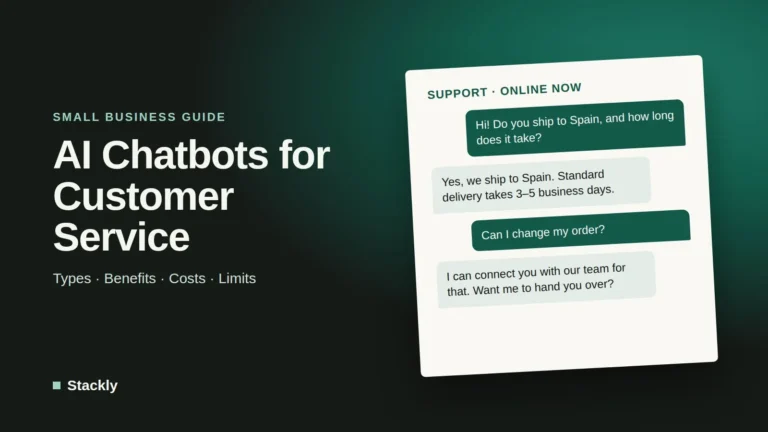
Customer service: Drafting replies to common questions or powering a website assistant, as explained in our guide to AI chatbots for small business.
Admin and operations: Summarizing meetings, writing procedures, and organizing tasks. Our guide to AI productivity apps shows how to connect ChatGPT with other tools.
Finance: Explaining reports, building spreadsheet formulas, and preparing questions for your accountant.
Research: Comparing suppliers, understanding regulations, and analyzing competitors with deep research.
ChatGPT vs Other AI Assistants
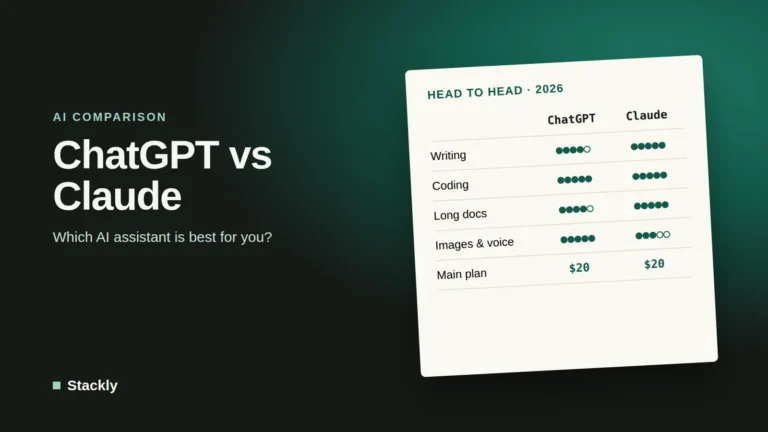
ChatGPT is the most widely used assistant and has one of the broadest feature sets, especially for images, voice, and custom GPTs. Alternatives such as Claude and Gemini are strong competitors, and many professionals use more than one. Claude is particularly popular for long documents, careful writing, and coding, as covered in our guide to Claude’s models and features. For a wider view of where the technology is heading, read our overview of the state of AI in 2026.
GPT-6.1 Sol is the model most people now get by default in ChatGPT, so it deserves a closer look than the overview above. Here is what changed, who can use it, and when the older GPT-6 Astra still makes sense.
GPT-6.1 Sol at a Glance
GPT-6.1 Sol
GPT-6 Astra
Announced
September 29, 2026 (DevDay)
September 22, 2026
Positioning
Near-flagship intelligence at a lower cost
OpenAI’s most capable model
API price (per million tokens)
$2 input, $10 output ($0.10 cached input)
About five times higher than Sol
In ChatGPT
ChatGPT Work and Codex on Plus, Pro, Business, Enterprise, and Edu; not yet in regular chat
Paid plans, with fullest access on Pro, Business, and Enterprise
Best for
Everyday agentic coding, computer use, and business workflows
GPT-6.1 Sol is an upgrade to GPT-6 Sol, the mid-tier model in OpenAI’s GPT-6 family, which sits between the flagship GPT-6 Astra and the fast, low-cost GPT-6 Luna. OpenAI says the 6.1 update improves complex tasks such as programming and debugging, document understanding, and multi-step workflows.
The key claim is efficiency. According to OpenAI, as reported by The Next Web:
On the DeepSWE software engineering benchmark, GPT-6.1 Sol matches GPT-6 Astra at roughly a fifth of the cost.
On AutomationBench, which tests multi-step business workflows, it scores 2.2 points above Anthropic’s Claude Opus 5.5.
On OSWorld 2.0, a computer-use benchmark, it comes within 2.1 points of Astra at about a seventh of the cost per task.
Astra still leads on the hardest scientific research tasks, which is where OpenAI recommends using it.
GPT-6.1 Sol vs GPT-6 Astra: Which Should You Use?
If you need…
Choose
Business workflows, reports, spreadsheets, and presentations
GPT-6.1 Sol
Everyday coding, debugging, and website fixes
GPT-6.1 Sol
The lowest cost for near-top performance in your own tools
GPT-6.1 Sol
The hardest scientific, mathematical, or research problems
GPT-6 Astra
Maximum capability regardless of cost or speed
GPT-6 Astra
For most small business tasks, GPT-6.1 Sol is the sensible default. Astra is worth its higher cost only for unusually demanding work.
ChatGPT Dots: OpenAI’s Always-On Agents
Dots are the biggest change to how ChatGPT works since custom GPTs. Instead of answering one question at a time, a dot keeps working on a goal in the background. This section covers what they can do, who has access, and the safety settings worth turning on before you hand one real work.
What Are ChatGPT Dots?
A dot is an always-on agent in ChatGPT that works toward a goal over time. According to OpenAI’s help center, a dot can research, create content, and follow through on tasks, continuing between conversations, while you review its work, give feedback, or pause it.
What makes dots different from a normal chat or from ChatGPT Work:
It keeps going. A regular chat stops when it answers. A dot keeps working on its goal and can check things on a schedule.
It has its own computer. Each dot runs on its own cloud computer and browser, which you can open to see what it is doing. Access to your own computer is optional and off by default.
It remembers. A dot starts with your ChatGPT memory and builds its own memories from your work and connected apps.
It connects to your tools. You choose which apps it can use, such as Slack or email, and BetaNews reports that dots can reach more than 4,000 apps through OpenAI’s plugin ecosystem.
It runs on OpenAI’s top model. OpenAI’s dots page says dots run on GPT-6 Astra.
You can even give your dot a name and an avatar, including a character or a pet.
What Can a Dot Do?
OpenAI’s examples show dots handling longer-running, multi-step work and coming back for approval at key moments:
Finance: tracking revenue and usage, refreshing an investor presentation, and sharing numbers after you approve.
Sales: checking customer requirements against emails and documents, flagging gaps, and drafting an evaluation plan.
Content: finding interview clips and drafting show notes and social posts for review.
Engineering: mapping dependencies for a software change and preparing code and tests, including creating tasks in Codex.
Personal: suggesting dinner options and placing an order once you approve.
Dots can also handle reminders and recurring checks, such as reviewing your calendar every morning. When idle, BetaNews reports that a dot does “proactive research” using read-only tools that cannot send messages, change content in your apps, or control the browser.
Small Business Ideas
For a small business, practical dot goals might include:
Every morning, summarize new customer emails and Slack messages, and flag anything urgent.
Every Monday, compile last week’s sales, website traffic, and ad results into a short report.
Monitor competitors’ websites and pricing pages and report changes.
Prepare a briefing before each client meeting from emails, notes, and your CRM.
Draft social media posts from each new blog article for approval.
Our guide to AI agents for small business covers more use cases and how agents compare with simpler automations.
Who Can Use ChatGPT Dots, and What Do They Cost?
Plan
Dots availability
Free, Go, Plus
Not available at launch
Pro
Rolling out gradually in eligible markets, excluding the EEA, Switzerland, and the UK
Business Premium
Available in all supported ChatGPT regions
Enterprise, Edu, Healthcare
Beta that a workspace admin must turn on (off by default)
Your first dot is included at no extra cost with Pro and Business Premium plans, with extended usage limits during the first month. According to BetaNews, conversations with a dot do not count toward your normal ChatGPT usage limits, although tasks it runs in Codex or ChatGPT Work count as usual. OpenAI says it plans to let users add more dots and increase their speed or monthly workload in the future. Pro plans start at $100 per month; our guide to ChatGPT’s plans explains the tiers.
How to Set Up a Dot
Open ChatGPT on desktop. You create a dot in the ChatGPT desktop app for Windows or Mac, or on the desktop website. You can talk to it on mobile, but you cannot create one there.
Follow the onboarding. Set your dot’s focus and goals, and give it a name if you like.
Connect apps carefully. Choose only the apps the dot needs. You can add messaging channels such as Slack or Microsoft Teams.
Set Custom Rules. Decide which actions it can take on its own, which need your approval, and which it must never do.
Add schedules. Ask for recurring checks or reminders, and manage them from the dot’s profile or the Scheduled section of ChatGPT.
Review and give feedback. Check its work regularly and tell it what to change. It learns from your feedback over time.
Safety Controls You Should Use
Because a dot can act in your accounts, the controls matter. OpenAI provides several:
Custom Rules with four behaviors: act without asking, act if pre-approved, ask before acting, or hand off to you.
Auto-review of sensitive actions that could affect accounts or share information. Changing a password always stays with you, and saved passwords are not exposed to the model.
Local computer access only if you explicitly allow it, revocable at any time.
Pause and reset. You can pause a dot at any time. Resetting permanently deletes its conversations, memories, and scheduled tasks.
Monitoring. OpenAI says its systems can pause or stop a dot if they detect a safety concern.
OpenAI is also clear that dots can make mistakes, so check important details before relying on them. For a small business, sensible defaults are:
Require approval for anything that sends messages to customers, spends money, or changes records.
Do not connect banking, payroll, or admin accounts at the start.
Keep sensitive client data out of reach unless your plan and policies allow it.
As of October 2026, GPT-6 Astra is OpenAI’s most capable model, GPT-6.1 Sol offers nearly the same performance for much less in ChatGPT Work and Codex, and GPT-5.6 Sol powers everyday chat on paid plans. For everyday tasks, the default model is usually more than enough; switch to a higher effort setting or Astra only for complex work.
Is ChatGPT Plus worth it?
For anyone who uses ChatGPT daily for work, Plus is usually worth the $20 per month because it unlocks advanced reasoning, deep research, Projects, and custom GPTs. Occasional users can stay on Free or Go.
Is ChatGPT free to use?
Yes. The Free plan includes unlimited everyday text chats with a fast model, plus limited access to uploads, image generation, voice, and deep research.
Does ChatGPT use my data for training?
On personal plans, conversations may be used to improve OpenAI’s models unless you turn this off in the data controls settings. By default, OpenAI does not train on data from Business and Enterprise workspaces.
What is the difference between ChatGPT and Codex?
ChatGPT is the general-purpose assistant for conversation, writing, research, and analysis. Codex is OpenAI’s coding agent, designed to write, test, and fix software with more autonomy. Both are included, with different limits, in paid ChatGPT plans.
The Bottom Line
ChatGPT in 2026 is a powerful, flexible assistant, but getting real value from it depends on using the right model for the task and giving it clear instructions. Start with the default model, raise the effort level for complex work, use Projects and custom GPTs for recurring tasks, and always review important output. For most small businesses and freelancers, the Plus plan offers the best balance of capability and cost.
Leave a Reply